Opening
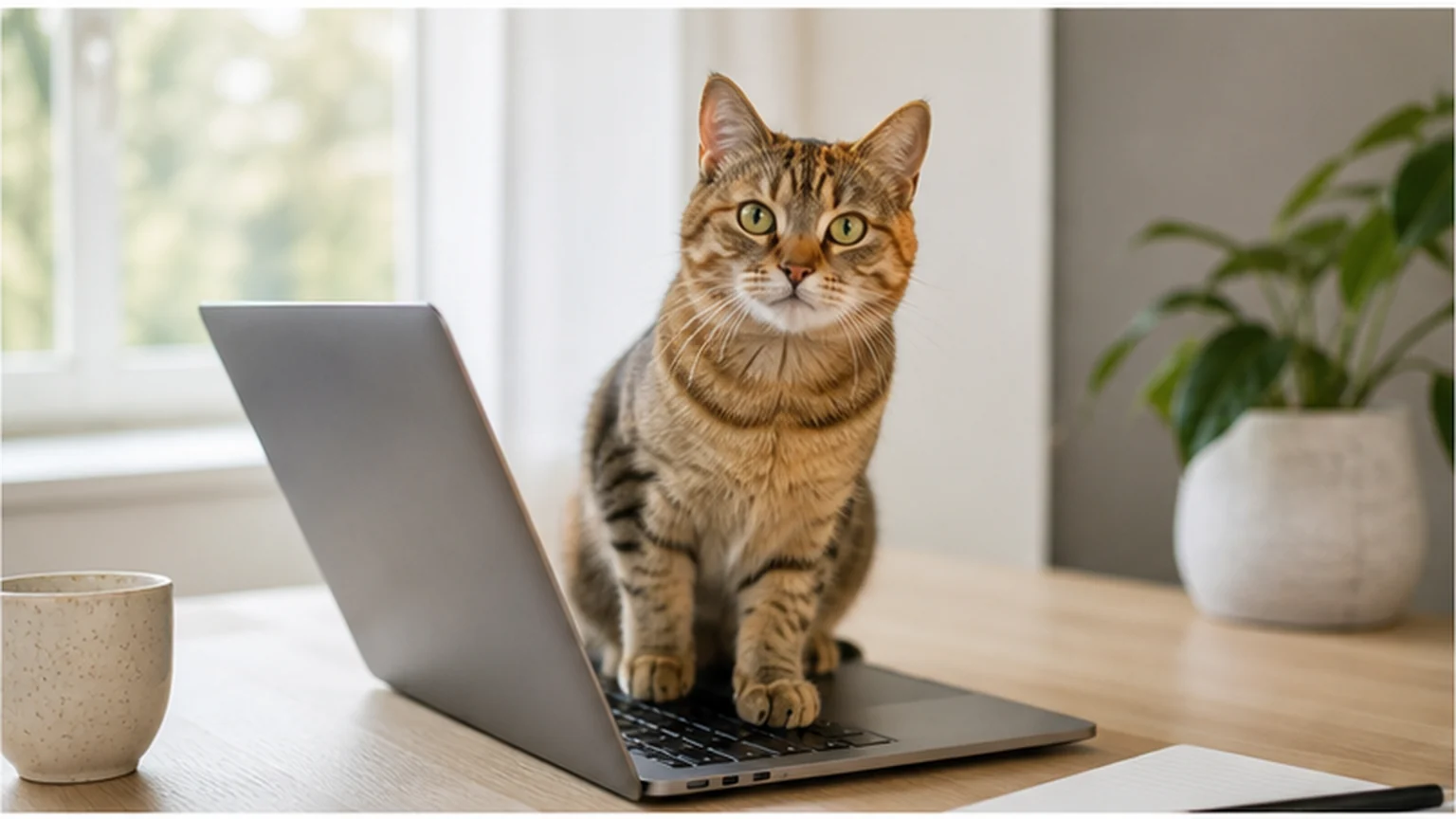
You settle down with a cup of coffee, open your laptop, and get ready to write a quick email. Within seconds, a familiar shadow glides across your desk. Before you can hit send, your cat gracefully steps onto your keyboard, settles into a comfortable loaf, and types a string of mysterious characters across your screen: jjjjjjjjjjjjjjjjjjjjjjjjjjjj.
Your cat may supervise your typing with the dedication of a tiny, unpaid workspace manager. But why is your laptop such a magnetic target? Far from trying to sabotage your workday, your cat’s keyboard addiction is driven by a blend of feline biology, scent communication, and affectionate curiosity.
Quick Answer
The Short Answer: Cats sit on laptops because laptops emit gentle heat, carry your comforting scent, offer a slightly elevated vantage point, and put your cat directly in the middle of your attention.
Why Your Laptop Is a Cat Magnet
1. The Ultimate Portable Heat Source
Cats naturally prefer warmer environments than we do. A cat's thermoneutral zone—the ambient temperature range where they don't need to expend extra energy to stay warm—is between 85°F and 100°F (29°C to 38°C).
Because human homes are usually kept around 68°F to 72°F, cats constantly look for micro-warmth spots. Operating laptops, particularly near the battery and exhaust vents, generate pleasant surface heat that acts like a miniature heated blanket.
2. Your Scent and Territorial Familiarity
Your hands spend hours touching your keyboard every day. As a result, your laptop is saturated with your natural scent.
For a cat, scent is the primary language of security and social bonding. Resting on your keyboard allows your cat to surround themselves with your familiar aroma while adding their own scent markings, creating a shared "colony scent" that signals safety and home.
3. Intercepting Your Attention
Cats are keen observers of human behavior. They quickly notice what draws your eyes and hands.
When you sit at a desk, your gaze is locked onto the bright screen, and your fingers are tapping rhythmically across the keys. To your cat, sitting directly on top of the keyboard is the most logical way to place themselves between you and the object competing for your attention.
4. Texture and Micro-Elevation
Cats love elevated perches, even when the elevation is less than half an inch! A laptop keyboard provides a distinct, raised boundary separate from the flat desk surface. The textured keys under their paws provide tactile feedback that many cats find intriguing.
What Your Cat May Be Asking For
Laptop sitting does not have one fixed meaning. The surrounding context gives you better clues than the behavior by itself.
If your cat arrives after a long nap, rubs against you, and settles calmly, they may be seeking warmth or quiet company. A cat who chirps, walks repeatedly across the keys, or paws at you may be asking for interaction. If the behavior appears close to the usual meal time, your routine may have taught your cat that closing the laptop is followed by dinner.
Notice what happens immediately before and after each visit. Do you talk to your cat, offer a treat, start play, or move to the kitchen? Cats learn which actions reliably produce attention. Even gently lifting a cat away can become rewarding if the cat wanted contact. This does not mean you should ignore your cat; it means you can respond deliberately and make an appropriate alternative more rewarding.
Create a Better Place Beside the Laptop
The most effective alternative usually matches the feature your cat values. A bed across the room may not compete with a warm keyboard directly under your hands.
Try building a desk station with:
- a stable bed, box, or folded blanket close enough for social contact;
- a safe source of warmth designed for pets, used according to its instructions;
- a small perch that offers a view of you and the room;
- enough space that your cat's tail and paws cannot reach cables or vents; and
- occasional calm attention when your cat chooses the station.
Introduce the spot before you urgently need the keyboard. Place familiar bedding there and reward voluntary investigation. A treat, a short stroke for cats that enjoy petting, or quiet praise can help. Never force your cat to remain in the new space. The goal is to make it easy to choose, not to turn it into another place they avoid.
If desk space is limited, a chair beside you or a wall-mounted perch at a similar height may work. Some cats care more about proximity than the exact surface.
Practical Guidance: How to Share Your Desk Peacefully
If you need your keyboard back without disrupting your bond, try these low-risk, cat-approved workspace adjustments:
- Set Up a Parallel Workspace: Place a cozy cat bed, thermal pad, or folded fleece blanket on your desk right next to your laptop. Give your cat a designated spot in your immediate work zone.
- Try a Decoy Keyboard: If your cat loves the texture of keys, set an unpowered spare keyboard next to yours. Reward your cat with a treat whenever they choose the decoy.
- Elevate Your Laptop: Use a vertical laptop stand or external monitor. Raising the laptop makes it physically inaccessible for lounging while improving your own posture.
- Shortcut Your Screen Lock: Get into the habit of pressing your keyboard lock shortcut whenever you step away for coffee, preventing accidental email dispatches from kitten paws!
Protect Your Cat and Your Equipment
A closed, cool laptop is generally less interesting than a warm running one, but an active workspace contains other hazards. Keep charging cables in good condition and route them so they cannot be chewed or pulled. Store small items such as cable ties, earbuds, staples, and batteries where a cat cannot swallow or bat them under furniture.
Do not cover ventilation openings with a cat bed or blanket. Heat needs to escape from the computer, and a hot surface is not an appropriate warming pad. If the laptop feels unusually hot, shut it down and move your cat to a comfortable alternative. Keep drinks away from the shared area for the sake of paws, electronics, and your cat's coat.
Move your cat calmly rather than tipping the device or suddenly pulling it away. Support their body and place them on the prepared station. Punishment, spraying water, or startling noises can create anxiety around you and the desk without teaching where to sit instead.
Build a Workday Routine
Predictability can reduce repeated interruptions. Before a long work session, offer a brief interactive play period using a wand or another appropriate toy, then allow your cat to settle. Schedule normal meals and attention at reasonably consistent times rather than rewarding every keyboard visit with food.
During breaks, initiate contact when your cat is in their own spot. This teaches a useful pattern: choosing the bed brings companionship, while stepping on the keyboard leads to a calm relocation. Progress may be gradual because the laptop has a long history of being warm, central, and interesting.
For kittens or highly active cats, provide other outlets away from the desk, including scratching surfaces, climbing options, toys, and opportunities to observe the room. A laptop alternative works best as one part of an engaging environment.
What Not to Assume
It is easy to humanize cat behavior and assume your cat is being disruptive on purpose.
[!NOTE] Avoid the Spite Myth: Your cat is not sitting on your keyboard because they are angry, jealous of your job, or trying to ruin your deadline.
Human-like descriptions can be fun to joke about, but feline behavior is driven by instincts for warmth, comfort, and connection—never human spite or social revenge.
When a New Clingy Behavior Deserves Attention
Sitting on a laptop is usually ordinary social or comfort-seeking behavior. Still, pay attention to a sudden broader change. A cat who becomes unusually restless, vocal, withdrawn, or persistently demanding may be responding to a change in routine or environment. Changes in appetite, drinking, litter-box habits, movement, grooming, or sleep add important context.
Do not diagnose a health problem from laptop sitting alone. If the behavior is new and appears alongside physical or behavioral changes, contact a veterinarian for guidance. For an otherwise relaxed cat who has always enjoyed the keyboard, a better nearby perch and a consistent response are usually reasonable first steps.
Frequently Asked Questions
Does my cat sit on my laptop because it smells like me?
Your scent may contribute to the laptop's familiarity, especially because your hands touch it often. Warmth, location, texture, and learned attention can operate at the same time, so scent is probably one part of the appeal rather than the only explanation.
Is a decoy keyboard guaranteed to work?
No. A spare keyboard copies the texture but not necessarily the warmth, height, scent, or access to your hands. It works better when placed beside you on a comfortable surface and reinforced when your cat chooses it.
Should I let my cat sleep on a closed laptop?
It is safer to offer a purpose-made resting place. A laptop can shift, be opened unexpectedly, or retain heat, and allowing it sometimes can make boundaries confusing when you need to work.
Key Takeaway
When your cat chooses your laptop as their favorite lounge chair, take it as a quiet compliment. They are simply combining their love of warmth with their desire to be close to you while you work. With a cozy side bed and a little patience, you can share a peaceful, productive desk together.